
FondPix
Wedding Photo Album, Photo Book, and Print Guide for AI Wedding Pictures
How to choose, crop, export, and organize AI wedding photos for wedding photo albums, photo books, frames, prints, and keepsakes.
FondPix creates two high-quality watermarked previews so you can see both portraits before deciding whether to keep them. If neither portrait feels right, you can leave the project unpaid. A one-time payment keeps these same two high-quality files without watermarks; it never creates replacement images.
A wedding photo album is not just a folder of your favorite pictures. It needs rhythm: wide images, close portraits, emotional moments, details, and quiet pages between the big scenes.
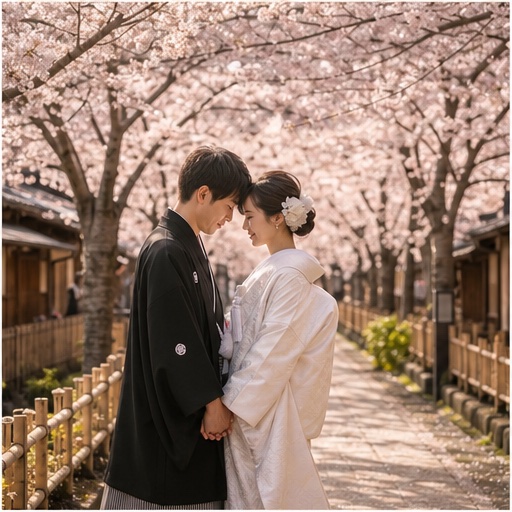
AI wedding pictures can work well in albums and prints when you choose the right images and export them carefully.
Choose Album Images by Job
Every image in the album should have a job:
- Opener: establishes the mood.
- Formal portrait: shows the couple clearly.
- Close-up: adds emotion.
- Location image: gives setting.
- Detail image: bouquet, rings, fabric, hands.
- Cultural or outfit image: preserves styling.
- Closing image: leaves a final feeling.
Do not use ten versions of the same pose. Even beautiful images become dull when they repeat.
Best AI Wedding Photos for Albums
AI works especially well for planned portraits:
- Classic studio portrait.
- Destination wedding photo.
- Luxury hotel portrait.
- Cultural wedding attire portrait.
- Romantic garden portrait.
- Minimal black-and-white image.
- Cinematic first-dance style image.
Use real wedding photos for ceremony, family, and guest moments. Use AI images to fill planned portrait gaps or create styles you could not shoot in person.
Print Size and Resolution
FondPix creates two high-quality watermarked previews so you can see both portraits before deciding whether to keep them. If neither portrait feels right, you can leave the project unpaid. A one-time payment keeps these same two high-quality files without watermarks; it never creates replacement images.
Before printing, zoom in and check:
- Face identity.
- Hands and fingers.
- Jewelry and hair edges.
- Fabric texture.
- Background artifacts.
- Cropping around head, veil, and dress.
Do not print a screenshot. Download the final file.
Album Layout Tips
Start with a strong wide image. Follow with a clean portrait. Then alternate scene sizes: wide, close, full-body, detail, emotional crop. This makes the album feel designed.
Use white space. A single portrait on one page can feel more premium than four small images crowded together.
Place busy destination photos on their own page. Use simple studio images beside text, vows, dates, or captions.
A Practical 12-Page Album Flow
- Wide opening portrait.
- Clean formal couple portrait.
- Close emotional crop.
- Real ceremony moment.
- Family or wedding party group.
- Detail page: rings, bouquet, fabric, hands.
- Destination or venue-style image.
- Cultural or outfit portrait.
- Candid guest or reception page.
- Black-and-white portrait.
- Full-body framed-print candidate.
- Quiet closing image.
AI images work best on pages 1, 2, 7, 8, 10, and 11. Keep real ceremony and family pages real.
Framed Print Tips
For frames, choose images with clear faces and clean edges. Avoid photos where the couple is too small. If the frame is vertical, choose a vertical crop. If the frame is landscape, do not force a vertical image into it.
Black-and-white portraits often print well because they avoid color shifts. Luxury hotel and classic studio looks also work well because they have controlled lighting.
Wedding Photo Book Ideas
If you are making a photo book, create sections:
- Before the day: AI portraits, engagement style, invitation image.
- Ceremony: real wedding photos.
- Family and friends: real group photos.
- Portraits: real and AI planned portraits.
- Closing: destination, sunset, or black-and-white image.
This structure lets AI support the story without pretending to be documentary coverage.
Internal Links To Plan the Set
Use the wedding photo checklist to decide which real photos you need. Use wedding photo poses to create more variety. Use the FondPix product guide when you are ready to generate high-detail versions.