
AI Wedding Invitation Photo GeneratorAI Wedding Invitation Photo Generator: plan wedding visuals that feel like you
AI Wedding Invitation Photo Generator helps couples create couple invitation covers with clean space, save-the-date portraits, and wedding website hero images from their own photos for printed invitations, digital invites, wedding websites, welcome posters, and save-the-date cards, so the wedding look feels personal before the final day arrives.AI Wedding Invitation Photo Generator helps couples create couple invitation covers with clean space, save-the-date portraits, and wedding website hero images from their own photos for printed invitations, digital invites, wedding websites, welcome posters, and save-the-date cards, so the wedding look feels personal before the final day arrives.
wedding looks
downloads
first
AI Wedding Invitation Photo Generator is not just an image generator; it helps with wedding choices
A wedding is not only an event; it is something a couple looks forward to. FondPix uses your own photos to create couple invitation covers with clean space, save-the-date portraits, and wedding website hero images, helping you decide whether printed invitations, digital invites, wedding websites, welcome posters, and save-the-date cards truly fits the day you are preparing for.
Who usually loves this
- Couples who want printed invitations, digital invites, wedding websites, welcome posters, and save-the-date cards to feel personal before every final wedding photo is ready.
- People comparing couple invitation covers with clean space, save-the-date portraits, and wedding website hero images before shooting, designing, printing, or posting.
- couples finalizing the date, venue, and first announcement to guests often like it because it lets the invitation feel personal before the final photoshoot is ready.
What FondPix helps you create
- Photo types
- couple invitation covers with clean space, save-the-date portraits, and wedding website hero images
- Most popular with
- couples finalizing the date, venue, and first announcement to guests
- Why couples like it
- it lets the invitation feel personal before the final photoshoot is ready.
- Core FondPix features
- FondPix creates two high-quality watermarked previews. A one-time payment unlocks these same two high-quality files without watermarks for downloading, printing, framing, and sharing.
What can AI Wedding Invitation Photo Generator help us make?+
It creates couple invitation covers with clean space, save-the-date portraits, and wedding website hero images from your own photos and helps you decide whether the image works for printed invitations, digital invites, wedding websites, welcome posters, and save-the-date cards, instead of handing you a generic AI picture.
Who is this scenario most useful for?+
couples finalizing the date, venue, and first announcement to guests. They usually value it because it lets the invitation feel personal before the final photoshoot is ready.
What is the real FondPix value here?+
The value is turning wedding anticipation into a visual plan you can compare, discuss, and actually use, so you can see whether the mood feels warm, polished, recognizably yours, and suitable for the first moment guests see your wedding news.
Visual directions
Three useful directions for AI Wedding Invitation Photo Generator
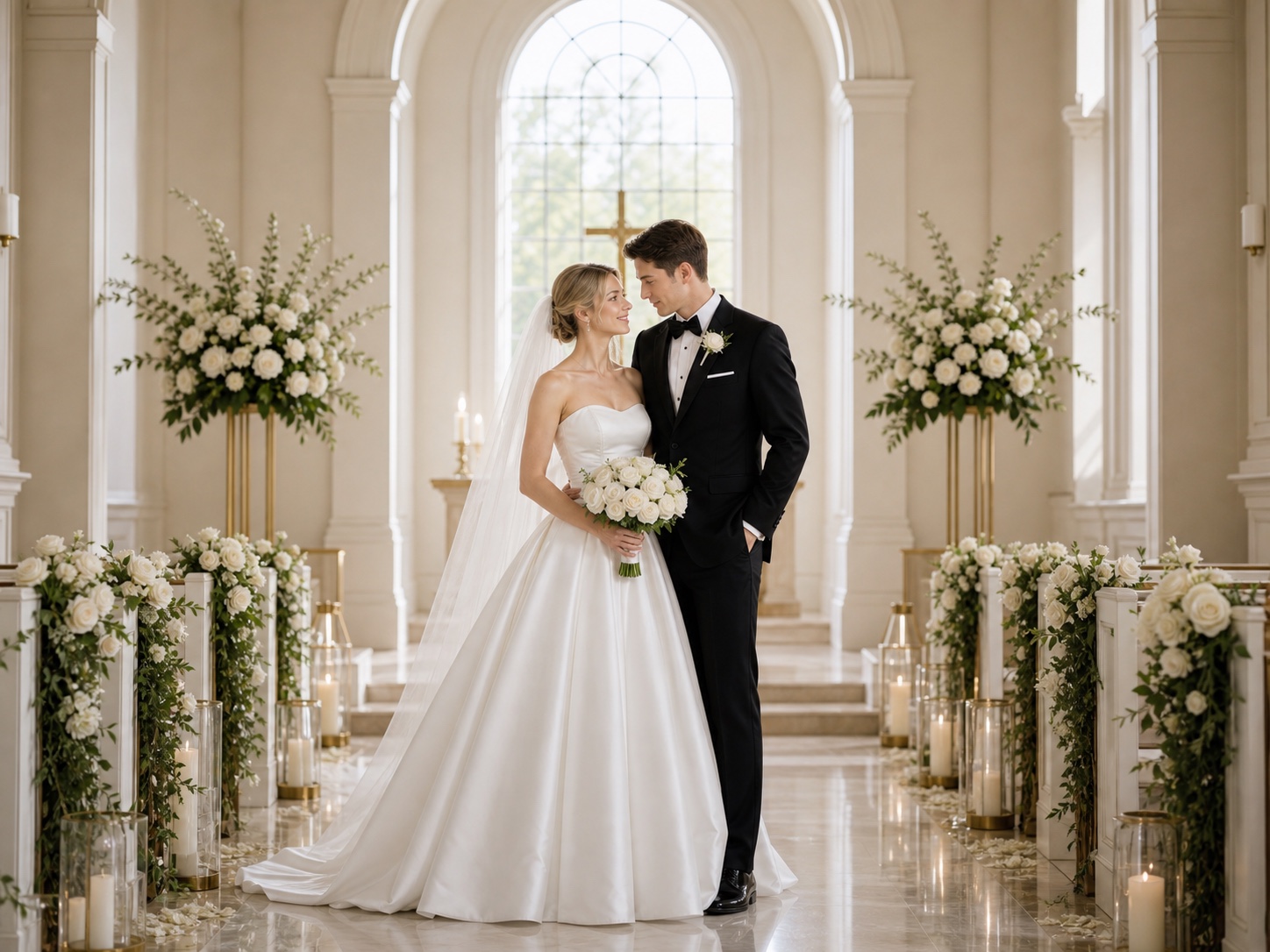
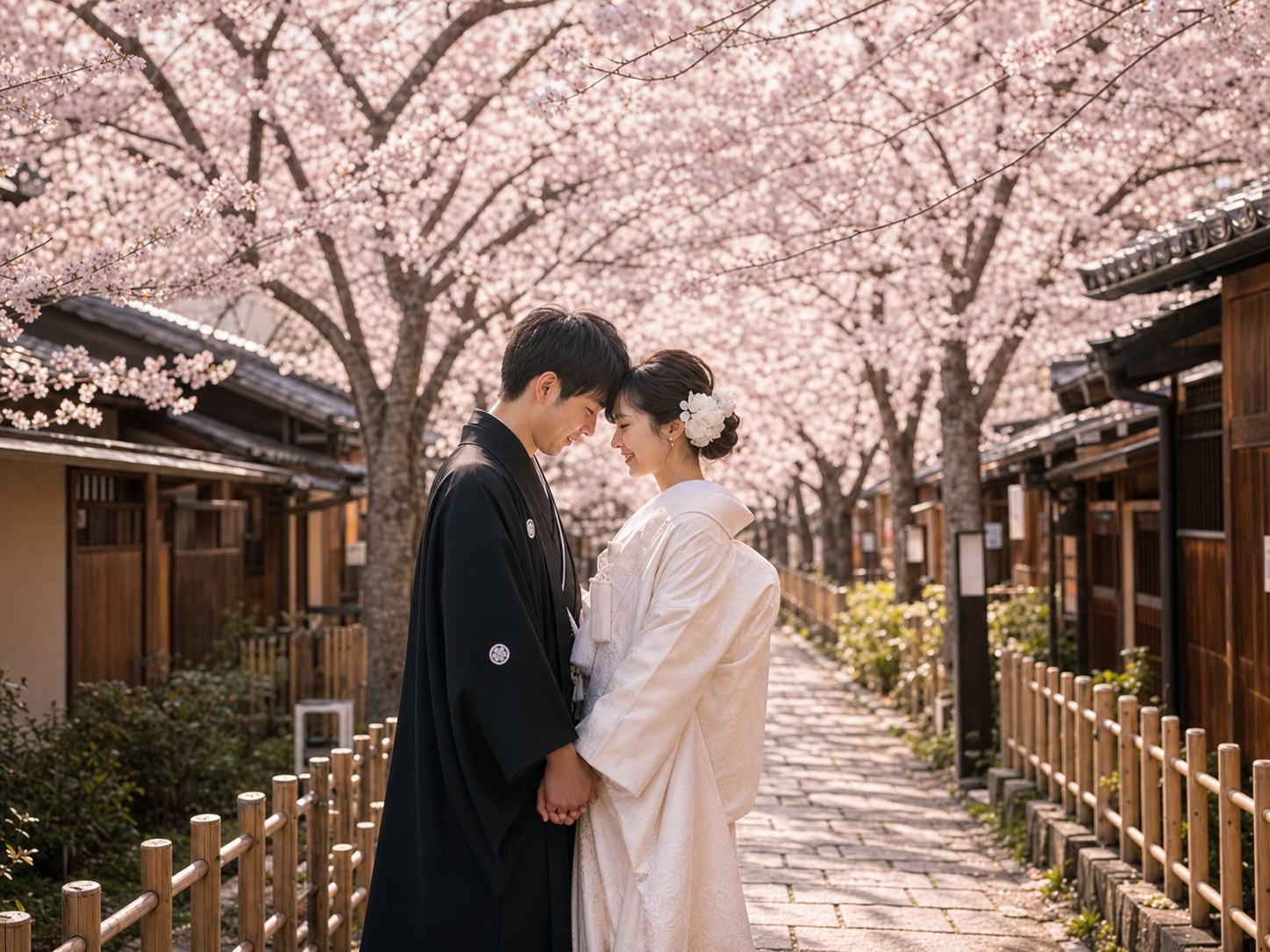
Compare three directions for couple invitation covers with clean space, save-the-date portraits, and wedding website hero images: one for ceremony, one for layout space, and one for discussion with family or the wedding team.

Main visual candidate
Use this to judge whether the image feels warm, polished, recognizably yours, and suitable for the first moment guests see your wedding news.
Text-friendly version
Check blank space, names, dates, and the overall design mood before layout.
Family-ready direction
Use it with your partner, family, planner, or designer to make the choice concrete.
Workflow
How to make AI Wedding Invitation Photo Generator with FondPix
Start from the real wedding use, then generate a small set of versions you can compare and actually use.
Upload clear couple photos
Use photos both people agree to upload, with visible faces and natural light for steadier likeness.
Choose the real use first
Let printed invitations, digital invites, wedding websites, welcome posters, and save-the-date cards guide the composition, scene, outfit, and blank space.
Receive Two Wedding Portraits to Compare
FondPix creates two high-quality watermarked previews so you can see both portraits before deciding whether to keep them. If neither portrait feels right, you can leave the project unpaid. A one-time payment keeps these same two high-quality files without watermarks; it never creates replacement images.
FondPix features that make the result more useful
FondPix is most useful when it helps a couple find a direction that feels like them while still supporting printed invitations, digital invites, wedding websites, welcome posters, and save-the-date cards.
Use your own faces
Create couple invitation covers with clean space, save-the-date portraits, and wedding website hero images, so invitations, albums, and websites do not feel like stock templates.
Compare styles first
Test whether the result feels warm, polished, recognizably yours, and suitable for the first moment guests see your wedding news before shooting, printing, or publishing.
Leave room for design
Plan space for names, dates, venues, RSVP details, or website headlines before choosing the final image.
FondPix creates two high-quality watermarked previews. A one-time payment unlocks these same two high-quality files without watermarks for downloading, printing, framing, and sharing.
FondPix creates two high-quality watermarked previews. A one-time payment unlocks these same two high-quality files without watermarks for downloading, printing, framing, and sharing.
Choose by feeling, not novelty
The best result is the image that feels closest to your wedding expectation, not the one that merely looks dramatic.
Consent and privacy first
Upload only photos both people agree to use, and review the final version before posting or printing.
Boundaries
AI can help you prepare, but it should not replace real ceremony memories
Vows, family embraces, guest reactions, and once-only ceremony moments still need real photography. FondPix is better for planning, invitations, album candidates, and style previews.
Keep real moments real
The emotions, family relationships, and ceremony details of the wedding day should be photographed for real.
Do not present AI as documentary proof
If a place, outfit, or ceremony did not happen, do not describe the generated image as a real record.
Review before sharing
Check likeness, hands, accessories, cultural details, text space, and the final use.
AI Wedding Invitation Photo Generator FAQ
Answers about use cases, audience fit, photo types, real-world boundaries, privacy, and consent.
Which photos should we upload first?+
Start with clear couple photos both people agree to use. Visible faces, natural light, and relaxed expressions make likeness more stable.
What should we decide before generating?+
Decide the final use first. If the image is for printed invitations, digital invites, wedding websites, welcome posters, and save-the-date cards, composition, blank space, clothing, background, and resolution should follow that use.
What resolution do FondPix portraits use?+
FondPix creates two high-quality watermarked previews. A one-time payment unlocks these same two high-quality files without watermarks for downloading, printing, framing, and sharing.
How do we avoid a generic template look?+
Check whether the people still feel like themselves, whether the emotion is natural, and whether the setting supports the wedding rather than overpowering it.
Can we use the result for invitations or a wedding website?+
Yes. Choose a version with clean blank space, stable subject scale, and a clear area for names, date, venue, RSVP details, or a website headline.
Can we share it with family or a planner?+
Yes. It is useful for turning abstract taste into a visible reference that family, planners, designers, and photographers can discuss clearly.
Can this replace a wedding photographer?+
No. FondPix is for planning, invitations, album candidates, and style previews. Vows, family interactions, and live ceremony moments still need real photography.
What should we review before posting?+
Review likeness, hands, accessories, clothing edges, cultural details, text space, crop ratio, and whether the image could be mistaken for documentary proof.
What about privacy and consent?+
Upload only photos both people consent to use. If other people, cultural details, or religious elements appear, review the result carefully before sharing.
What is the biggest benefit of using FondPix here?+
The biggest benefit is confidence: you are no longer planning from imagination alone, but from images closer to the happiness and ceremony you want.
Create a wedding visual with more certainty
If these wedding portraits give you even a moment of feeling, choose the price that feels right and keep them both as part of your story.
Upload clear couple photos and create couple invitation covers with clean space, save-the-date portraits, and wedding website hero images, so invitations, albums, websites, and photographer conversations no longer stay abstract.