
FondPix
Wedding Photo Checklist for Couples: What to Capture, Generate, and Print
A clear wedding photo checklist covering real wedding day shots, AI wedding portraits, invitation photos, family lists, albums, and prints.
A wedding photo checklist is useful only if it separates irreplaceable moments from planned portraits. Your ceremony kiss cannot be recreated later. A polished invitation portrait can be planned, generated, or reshot.
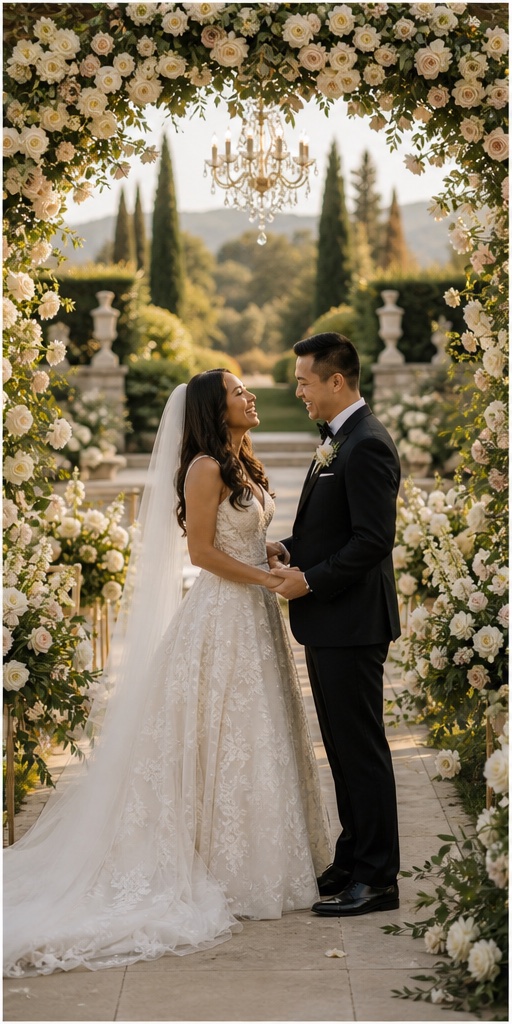
Use this checklist to decide what belongs to your photographer, what can be created with an AI wedding photo generator, and what should be prepared for albums or prints.
Irreplaceable Wedding Day Photos
These should be captured in real life:
- Ceremony entrance.
- Vows and ring exchange.
- First kiss.
- Legal signing or courthouse moment.
- Family reactions.
- First dance.
- Speeches and toasts.
- Guest candids.
- Details that actually existed: rings, bouquet, dress, shoes, venue, table setup.
AI can make beautiful wedding pictures, but it should not replace these lived moments.
Planned Couple Portraits
These can be shot by a photographer, created with AI, or planned in both ways:
- Classic standing portrait.
- Full-body bridal portrait.
- Close-up couple portrait.
- Walking hand-in-hand.
- Veil movement or veil kiss.
- Seated editorial portrait.
- Garden ceremony portrait.
- Luxury hotel or staircase portrait.
- Beach or destination wedding photo.
- Cultural wedding attire portrait.
If you create these in FondPix first, you can bring the best directions to your photographer as a mood board.
Family and Wedding Party List
Write names, not just roles. “Bride with parents” is less useful than “Maya with Linda and Robert”. Give one person the job of gathering people so the photographer is not searching for relatives.
Common group shots:
- Couple with each set of parents.
- Couple with both families.
- Couple with siblings.
- Couple with grandparents.
- Wedding party together.
- Each side of the wedding party.
- Couple with close friends.
Keep the list realistic. Too many combinations can take over the day.
Invitation and Announcement Photos
These images need a different checklist:
- Faces visible at small size.
- Clean background.
- Space for text.
- Outfit and mood match the wedding style.
- No distracting hands or props.
- Works in both vertical and horizontal crops.
AI wedding photos are especially useful here because you can create invitation-ready images before the real wedding day.
Album and Print Checklist
For an album, collect variety:
- One wide opener.
- One formal portrait.
- One emotional close-up.
- One destination or venue-style image.
- One detail image.
- One black-and-white option.
- One family-focused page.
- One final closing image.
For prints, choose images with strong faces, clean edges, and enough resolution. Use high-quality output when available.
FondPix creates two high-quality watermarked previews so you can see both portraits before deciding whether to keep them. If neither portrait feels right, you can leave the project unpaid. A one-time payment keeps these same two high-quality files without watermarks; it never creates replacement images.
What To Generate Before Booking a Shoot
Generate three groups:
- Style tests: classic, romantic, luxury, cinematic, cultural, and destination.
- Pose tests: standing, walking, seated, close-up, and full-body.
- Use-case tests: invitation, announcement, album opener, and framed print.
This helps you avoid paying for a shoot without knowing what you like.
AI vs Photographer Split
Use this rule when planning the final set:
- Real photographer: ceremony, family, guests, venue, reactions, speeches, documentary moments.
- AI wedding photo generator: invitation portrait, destination concept, style preview, cultural outfit test, album filler, framed keepsake.
- Either one: formal couple portrait, seated editorial image, garden portrait, studio portrait.
This split keeps the important real memories protected while still letting you explore more creative wedding pictures before the day.
Final Planning Tip
Do not hand your photographer a giant list of every image on the internet. Give them a short priority list and a visual direction. Use AI for exploration, use the photographer for real moments, then use the album checklist to make sure the final story feels complete.
For more planning detail, read how to use an AI wedding photo generator and wedding photo poses.