
FondPix AI Social Wedding Announcement GeneratorFondPix AI Social Wedding Announcement Generator: the post your friends will screenshot and save
Create the social media wedding announcement your friends will screenshot — warm, beautiful, and built from your real couple photos with FondPix.Your social media wedding announcement will be seen by hundreds of people in the first hour — classmates, colleagues, family across different countries, old friends, and the people closest to you. FondPix uses your real couple photos to create a social announcement image that stops every single one of them mid-scroll, makes them feel your joy, and earns a screenshot before they type a single word in the comments.
wedding looks
downloads
first
The image that makes people feel your joy before they read your caption
On social media, the image does all the work before the words. FondPix creates social wedding announcement images from your own couple photos so the first thing your friends and followers see is a portrait that looks like the two of you — warm, radiant, and full of the specific joy of being newly married. That is the image that earns a screenshot, a share, and a comment from everyone who loves you.
Who usually loves this
- Couples who want their Instagram, Facebook, or social media wedding announcement to feel as beautiful and personal as the biggest news they will ever share.
- Partners who want to create a scroll-stopping announcement image before their professional wedding photos are ready — so the post goes up while the joy is still everywhere.
- Couples who care about how the announcement looks on every platform and want to generate a few directions to compare before posting.
What FondPix helps you create
- Photo types
- Portrait and square social announcement images, scroll-stopping couple portraits, warm and radiant post-wedding social visuals
- Most popular with
- Couples posting their wedding announcement on Instagram and Facebook immediately after the ceremony
- Why couples like it
- It creates a beautiful, personal announcement image immediately — without waiting for the professional photographer's gallery
- Core FondPix features
- Upload real couple photos, choose a social-first mood and crop, compare portrait and square directions, check likeness and visual impact, download high-quality for social sharing
What can FondPix create for a social media wedding announcement?+
FondPix creates portrait and square social announcement images, scroll-stopping couple portraits, and warm post-wedding visuals — at the resolution and crop ratios that work best on Instagram, Facebook, and other social platforms where the image does all the work before anyone reads the caption.
Who finds this most useful?+
Couples who want to post their wedding announcement on social media immediately — or within days of the wedding — before their photographer delivers the final gallery. FondPix gives them a beautiful, personal image right away so the news can land with the joy it deserves.
What is the real value of using FondPix here?+
The real value is timing and beauty together. You do not have to post a blurry phone photo or wait three months for the professional gallery. FondPix gives you a social announcement image that looks beautiful, feels personal, and is ready the moment you want to share your news.
Social announcement directions
Three social announcement directions — radiant, intimate, and wide enough to stop a scroll
Compare a portrait close-up that earns a screenshot, a warm intimate announcement image, and a wider composition that works on every platform before choosing the one that carries your joy.
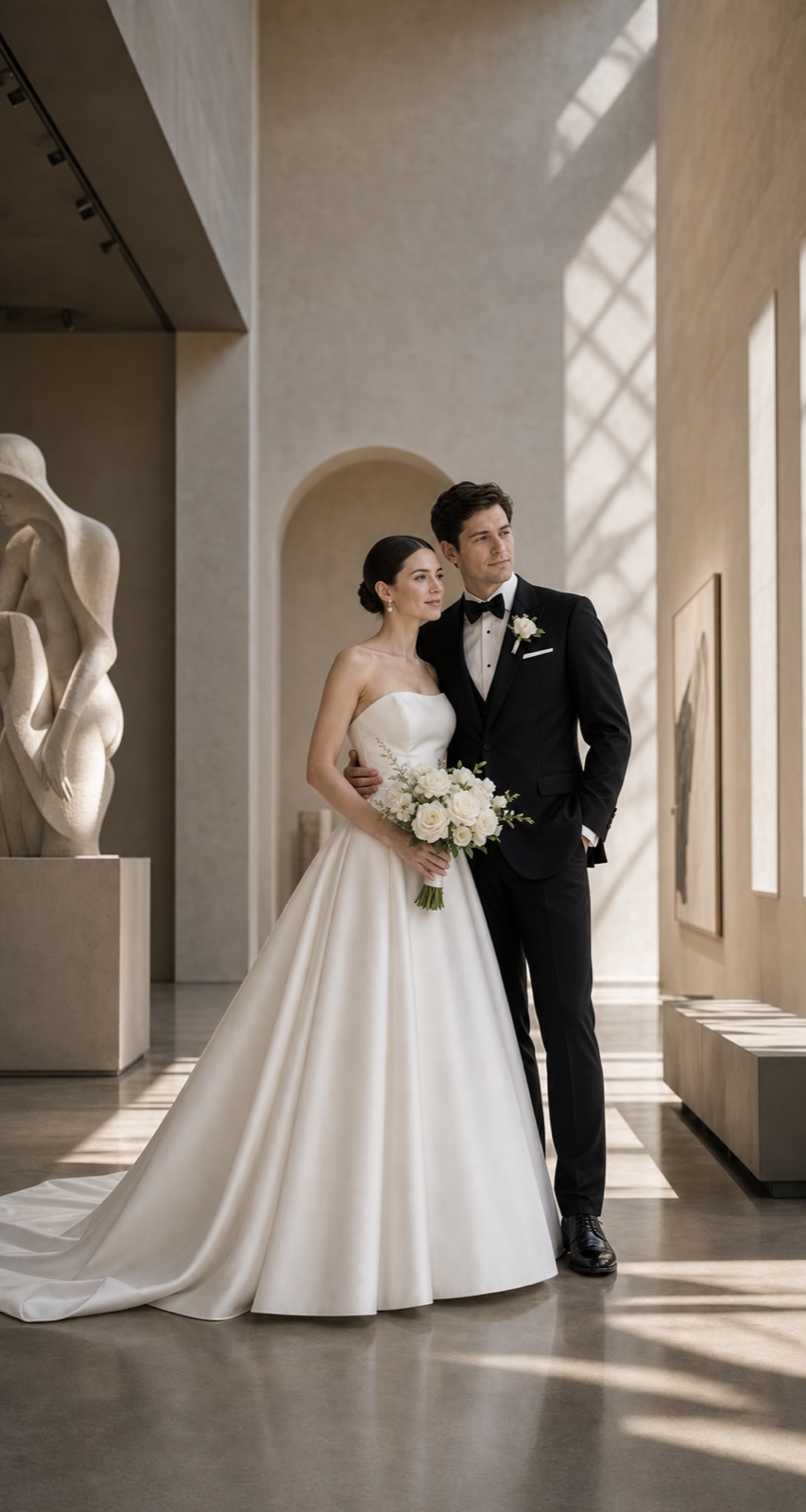
Radiant close-up portrait
A luminous, close couple portrait that stops the scroll immediately — warm, beautiful, and unmistakably the two of you.
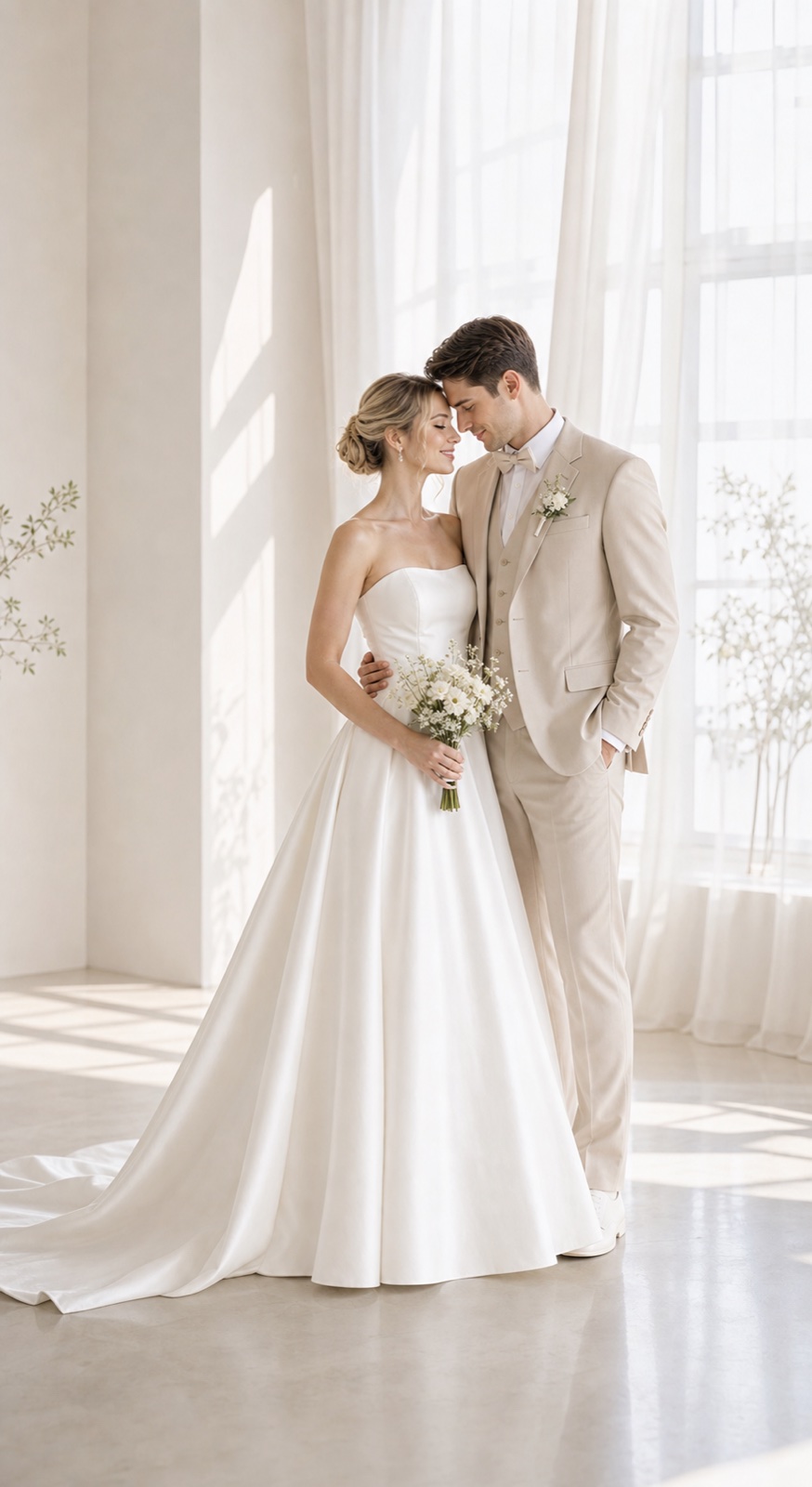
Warm intimate announcement
A softer, more intimate direction — the kind of image that makes close friends and family feel personally included in the moment.
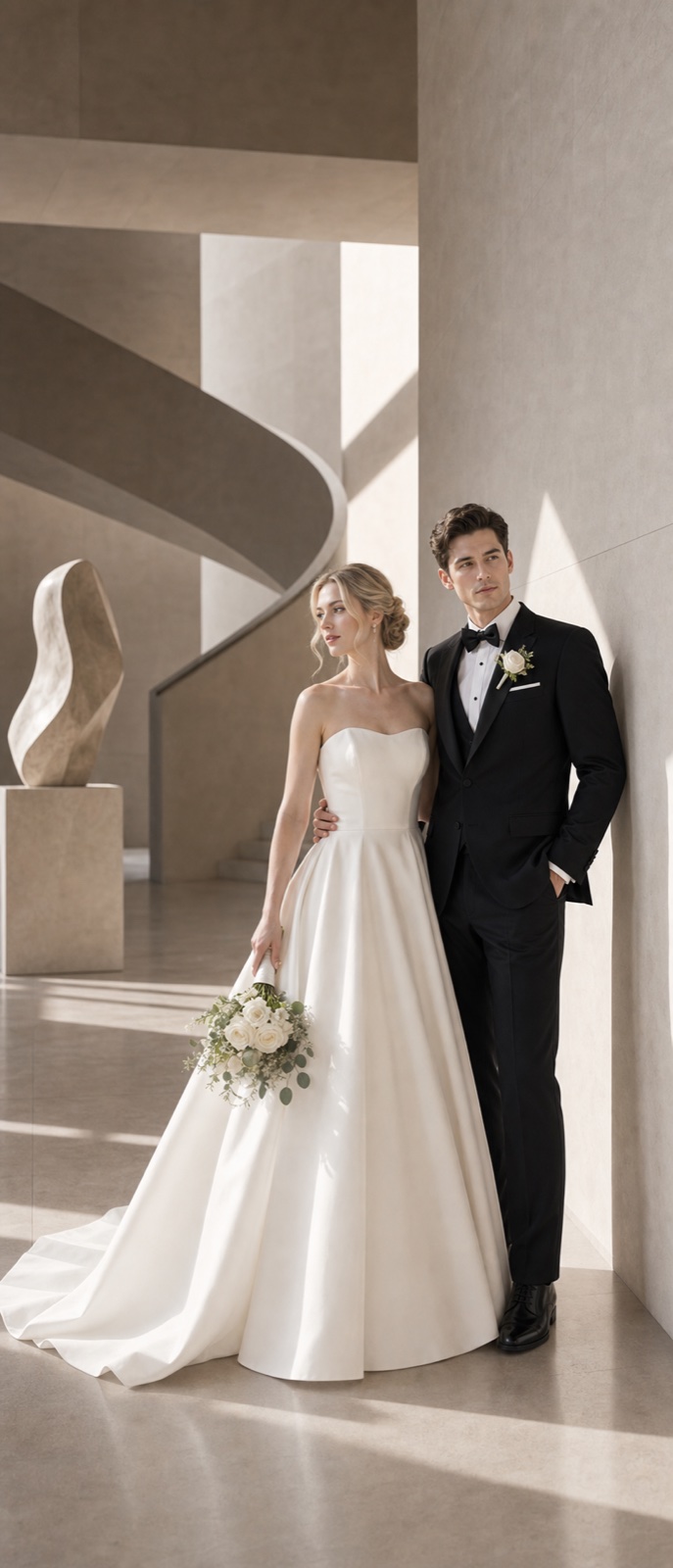
Wide atmospheric post
A wider, more cinematic composition that works beautifully on Facebook and as a carousel opener on Instagram — full of warmth and scale.
How it works
How to create your social media wedding announcement image with FondPix
From your real couple photos to a scroll-stopping social announcement image in three steps.
Upload your couple photos
Choose the clearest, most natural couple photo you have — on social media, authenticity reads better than perfection, so a warm and genuine source photo gives the best result.
Choose the social platform and crop format
Decide whether the announcement is going on Instagram (portrait 4:5 or square), Facebook (landscape or square), or multiple platforms — and generate in the crop ratio that makes the most visual impact on the platform where most of your people are.
Receive Two Wedding Portraits to Compare
FondPix creates two high-quality watermarked previews so you can see both portraits before deciding whether to keep them. If neither portrait feels right, you can leave the project unpaid. A one-time payment keeps these same two high-quality files without watermarks; it never creates replacement images.
What makes a social wedding announcement image earn a screenshot
FondPix gives you the tools to create a social announcement image that earns more than likes — it earns the screenshot, the share, and the comment from every person who loves you.
Your faces, instantly recognizable
FondPix creates the announcement image from your own photos, so the couple in the post is unmistakably the two of you — no one has to wonder who got married.
Optimized for how social media actually works
FondPix generates images in portrait and square crop ratios that are optimized for how social feeds display on mobile phones — where most of your friends will see the announcement.
A mood that radiates joy
The social announcement image should feel radiant, warm, and full of the specific happiness of being newly married. FondPix lets you choose a mood that matches that feeling and compare directions before posting.
high-quality resolution for every social platform
Social platforms compress images — downloading at high-quality gives you the best visual quality after compression, ensuring the announcement image looks sharp and beautiful in every feed.
The image that gets screenshotted
The best social wedding announcement image is the one friends screenshot to show people who are not following you yet. FondPix helps you create that image — warm, personal, and impossible to scroll past.
Review before posting to everyone at once
A social media post goes to everyone simultaneously. Review the image carefully before posting — check likeness, mood, and whether the image feels right for the size and diversity of your audience.
Honest about what AI can do
FondPix creates the social image — the real moment it captures belongs to your wedding day
FondPix is for creating a beautiful, personal social announcement image immediately. The actual wedding moments, ceremony photos, and candid joy of the day still come from your photographer's gallery.
Not a replacement for real wedding photos
FondPix gives you a beautiful announcement image right away. When your photographer delivers the final gallery, many couples choose to post a follow-up with real wedding photos — FondPix is the bridge between the wedding and those photos.
Be honest if people ask
Social media wedding announcement images created with FondPix can look very real. If close friends or family ask whether the image is from the actual wedding day, be straightforward — it is an AI-created portrait made from your real couple photos.
Check how it looks on mobile before posting
Most people will see your announcement on a phone screen. Before posting, view the FondPix image at the actual social media crop ratio on your phone — make sure both faces are clearly visible, the mood reads as warm, and the image looks exactly as intended.
Social wedding announcement generator — your questions answered
Everything couples ask about creating social media wedding announcement images with FondPix, from crop ratios to timing and platform-specific tips.
What is the best image ratio for an Instagram wedding announcement?+
Portrait 4:5 (1080x1350px) is the format that takes up the most screen space in the Instagram feed on mobile, which gives your announcement the best chance of stopping the scroll. Square (1:1) also works well and travels seamlessly across Instagram, Facebook, and WhatsApp previews. FondPix generates at high resolution so you can crop to either ratio.
What is the best image ratio for a Facebook wedding announcement?+
Facebook displays images at landscape (1.91:1) in link previews but shows uploaded photos in near-square or portrait ratios in the feed. For a Facebook announcement post where you upload the image directly, a square or portrait FondPix image tends to display best and gets the most visual real estate in the feed.
Can we use the same FondPix image on Instagram, Facebook, and WhatsApp?+
Yes. Download the portrait version and use it across all three — portrait images adapt well to square crops for WhatsApp preview thumbnails, and the same image works in both Instagram and Facebook feeds with no adjustments needed.
Should we post the announcement before or after the wedding?+
Most couples post immediately after the ceremony or within a day or two. FondPix is useful both before the wedding (to pre-prepare the announcement image) and after (when you want something beautiful before the photographer delivers the gallery).
How do we create a social announcement image that feels authentic rather than over-produced?+
Choose a source photo where both of you look natural and relaxed, and choose a mood in FondPix that feels warm and real rather than dramatically stylized. The most screenshot-worthy social announcements are the ones that feel like the actual couple — not a fashion shoot.
Can we use FondPix to create a carousel post with multiple announcement images?+
Yes. Generate several directions in FondPix — a close portrait, a wider scene, and one with a different mood — and use them as a carousel sequence. Many couples find that a three-image carousel tells the story of the announcement better than a single image.
What caption should we write to go with the social announcement image?+
FondPix handles the image — the caption is entirely yours. The most memorable social wedding announcement captions are personal, specific, and written in your actual voice, not a generic template. The image does the visual heavy lifting; your words add the personal detail.
Should we announce on social media before telling people individually?+
Close family and the wedding party should hear the news before the social post goes up — both as a courtesy and because they will likely see the post before you have a chance to call them if you post first. After your inner circle knows, the social announcement can go to everyone else simultaneously.
What makes a social announcement image stop a scroll rather than just get a like?+
Three things: recognition (the couple is clearly identifiable), emotion (the image radiates genuine joy, not posed stiffness), and visual quality (the image is sharp, warm, and beautiful at thumbnail size). FondPix helps you optimize for all three from your real couple photos.
Can we use FondPix for a surprise announcement on social media?+
Yes. If you are keeping the wedding a secret until after it happens — an elopement, a private ceremony, or a small intimate wedding — FondPix lets you prepare the announcement image in advance so you can post it the moment you are ready to share the news.
What if we get a lot of DMs asking if the image is AI?+
You can be straightforward — the image is an AI-created portrait made with FondPix from your real couple photos. Many couples find that being open about this actually generates more positive engagement, as people are genuinely curious about how the image was created.
How do we know if the image will look good on both light mode and dark mode feeds?+
Preview the FondPix image on your phone in both light and dark mode before posting. Images with warm mid-tones tend to look great in both modes. Avoid images that are very light (they can disappear on light mode feeds) or very dark (they can lose detail on dark mode feeds).
What is the most important thing to check before posting the social announcement?+
View the image at actual social media size on your own phone. Check that both faces are clearly visible and recognizable at thumbnail size, the mood reads as warm and joyful at a glance, the colors look rich and true, and the image makes you stop and feel something before you even read the caption.
Create the post your friends will screenshot before they even comment
If these wedding portraits give you even a moment of feeling, choose the price that feels right and keep them both as part of your story.
Upload your couple photos and let FondPix create a social wedding announcement image that stops the scroll, carries your joy, and earns a screenshot from everyone who loves you.